What are high-profile vs low-profile mice?
- 1. What high-profile mice are and how they feel
- 2. What low-profile mice are and how they feel
- 3. Grip styles and profile compatibility
- 4. Profile height and control characteristics
- 5. Comfort, fatigue, and long-term use
- 6. Performance considerations beyond profile height
- 7. Choosing between high-profile and low-profile mice

Mouse shape plays a larger role in comfort and control than many people realize. One of the most important shape-related differences is profile height. High-profile and low-profile mice feel very different in the hand, influence how you grip the mouse, and affect long-term comfort and precision. Choosing the wrong profile can lead to fatigue or inconsistent control, even if the sensor and specs are excellent.
High-profile vs low-profile mice is not about which one is better overall, but which one aligns with your hand size, grip style, and usage habits. Understanding how profile height changes the way you interact with a mouse makes it easier to choose a shape that feels natural instead of forcing adaptation.
1. What high-profile mice are and how they feel
High-profile mice have taller shells with a more pronounced hump, usually positioned toward the center or rear of the mouse. This extra height fills the palm more fully and provides greater surface contact with the hand.
These mice often feel more supportive, especially for users who rest a large portion of their palm on the mouse. The added height reduces the need to hover the hand and can make long sessions feel less tiring. High-profile designs are commonly associated with palm grip and relaxed claw grip styles.
Because the hand rests higher, wrist angle tends to be more neutral, which some users find more comfortable over extended periods. The trade-off is that taller mice can feel less agile for rapid micro-adjustments, especially for players who rely on fingertip movement.
2. What low-profile mice are and how they feel
Low-profile mice have flatter shells and lower overall height. The hump is usually subtle or spread evenly across the body, creating a sleeker, more compact feel in the hand.
These mice encourage more active finger and wrist control. With less palm contact, movements tend to come from the fingers and wrist rather than the arm. This can make low-profile mice feel faster and more responsive, particularly for small adjustments and flicks.
Low-profile designs are often favored by fingertip grip users and aggressive claw grip players. However, reduced palm support can lead to fatigue for users who prefer to rest their hand fully or who have larger hands.
3. Grip styles and profile compatibility
Grip style is one of the strongest factors in deciding between high-profile and low-profile mice. Palm grip users typically benefit from higher profiles that support the full hand and distribute pressure evenly.
Claw grip users fall somewhere in the middle. Some prefer moderate to high-profile mice that support the rear of the palm, while others favor lower profiles that allow quicker finger movement. The exact preference often depends on hand size and finger length.
Fingertip grip users almost always prefer low-profile mice. Minimal shell height keeps the mouse from interfering with finger control and allows rapid repositioning. High-profile mice can feel bulky or restrictive with this grip style.
Matching profile height to grip style reduces strain and shortens the adjustment period when switching mice.
4. Profile height and control characteristics
Profile height subtly changes how control feels. High-profile mice tend to feel more stable because the hand has more contact points with the shell. This stability can help with tracking and controlled movements, especially at lower sensitivities.
Low-profile mice emphasize agility. Less contact means less friction between hand and shell, making quick direction changes easier. This can benefit fast-paced shooters or situations that demand rapid flicks.
Neither profile inherently improves aim. The difference lies in how control is distributed across the hand. Stability versus agility is a personal balance, not a performance hierarchy.
5. Comfort, fatigue, and long-term use
Comfort over long sessions is where profile choice becomes critical. High-profile mice often reduce hand tension by allowing the palm to relax against the shell. This can prevent wrist and finger fatigue during extended use.
Low-profile mice require more active muscle engagement. While this can feel precise and responsive, it may increase fatigue if the hand lacks support. Users with larger hands or those who play for many hours may notice strain sooner with very flat designs.
Desk height, chair position, and arm support also influence comfort. A low-profile mouse may feel perfect at one setup and uncomfortable at another. Comfort should always be evaluated in the context of your full workstation.
6. Performance considerations beyond profile height
Profile height should not be evaluated in isolation. Weight distribution, button placement, side contouring, and surface texture all interact with profile design.
A well-balanced mouse can mitigate some disadvantages of either profile. For example, a moderately tall mouse with balanced weight and smooth side contours can still feel agile. Likewise, a low-profile mouse with excellent grip texture can feel stable despite minimal height.
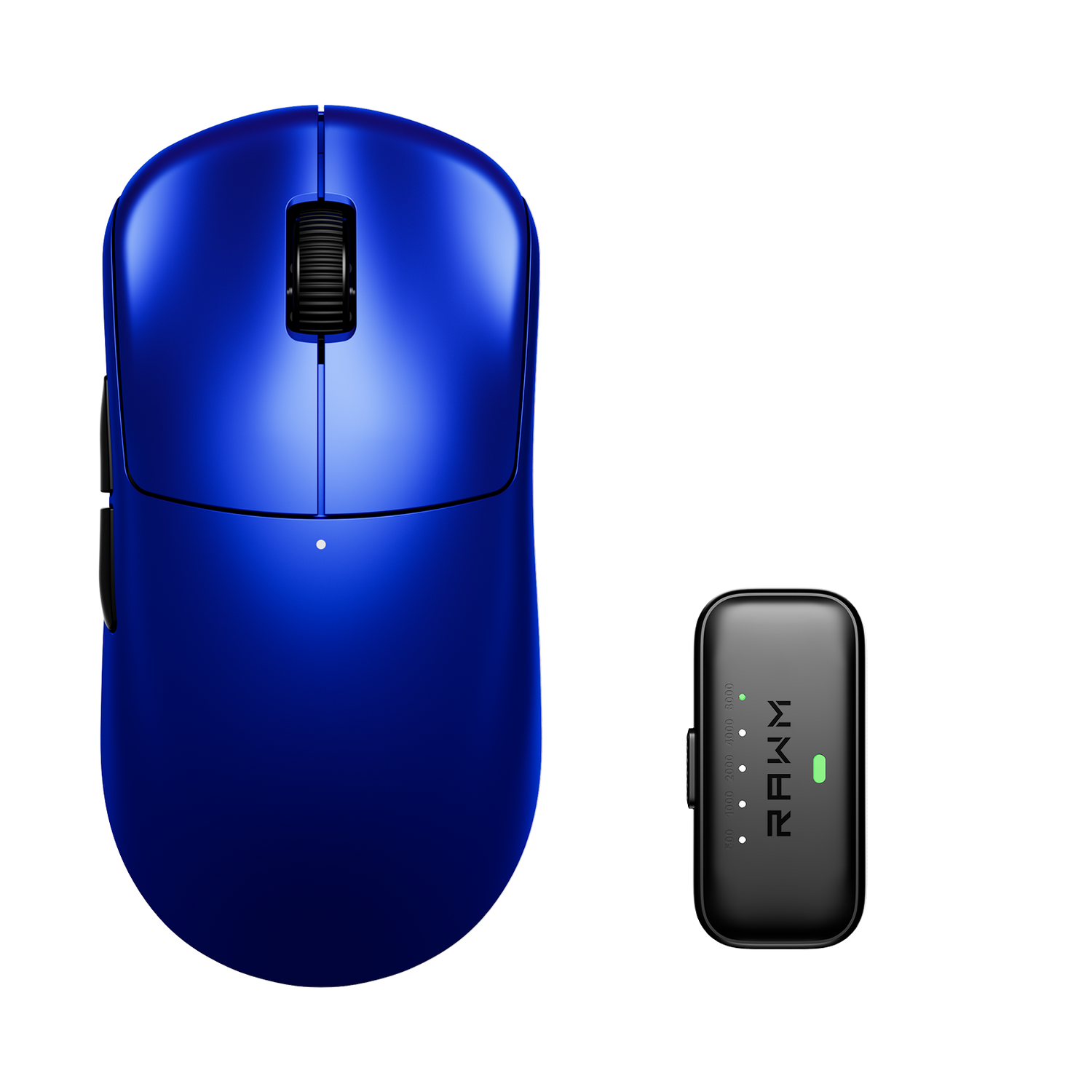
Designs like the Leviathan V4 aim for this balance, offering a profile that supports both control and agility without forcing the hand into an extreme posture. This makes such designs adaptable across multiple grip styles and use cases.
7. Choosing between high-profile and low-profile mice
The best way to choose is to focus on how you naturally hold a mouse. If your palm rests fully on the shell and you value comfort over speed, a high-profile mouse is likely a better fit. If you rely on fingertip control and prefer a lighter, faster feel, a low-profile mouse may suit you better.
Hand size matters as well. Larger hands often benefit from taller profiles, while smaller hands may feel overwhelmed by them. There is no universal rule, only patterns that help narrow choices.
Trying different profiles and paying attention to fatigue, control, and confidence during play provides clearer answers than spec sheets alone.
Do you find yourself resting your palm fully on the mouse, or do you prefer keeping most of your hand lifted for faster control?
>>See also How do I build muscle memory with new mouse? >>>>>