How to judge shape via ELOshapes?
1. What Is ELOshapes and Why It Matters
2. How to Judge Shape via ELOshapes Using Hand Size and Grip Style
3. Comparing Mouse Models
4. Shape Profiles and Ergonomics
5. How to Judge Shape via ELOshapes for Competitive Gaming

When gamers talk about mouse performance, the conversation often revolves around DPI, polling rate, and sensors. However, one of the most critical yet often overlooked aspects is shape — how well a mouse fits your hand and complements your grip style. Recently, a platform called ELOshapes has become a go-to resource for evaluating and comparing mouse shapes across hundreds of models.
1. What Is ELOshapes and Why It Matters
Before we dive into how to judge shape via ELOshapes, it’s important to understand what ELOshapes actually is.
ELOshapes is an online database platform where mouse enthusiasts compare mouse sizes and shapes.
Essentially, users compare few mouse shapes head-to-head and select out the one that feels better.
| Term | Meaning | Why It Matters |
|---|---|---|
| Database Scale | 500+ models compared | Allows gamers to find accurate shape references |
| Result Use | Identify best-fitting designs | Helps avoid buying mismatched shapes |
So when learning how to judge shape via ELOshapes, you’re easy to find the most suitable mouse for your own hand size and grip style.
For competitive players, that can make the difference between pixel-perfect precision and constant hand fatigue.
2. How to Judge Shape via ELOshapes Using Hand Size and Grip Style
The next step in how to judge shape via ELOshapes is knowing your hand size and grip type.
ELOshapes data becomes far more meaningful once you align it with your own measurements.
There are three main grip styles, and ELOshapes helps you find which mouse shape is most compatible with each one:
| Grip Type | Hand Contact | Ideal Mouse Shape | Examples |
|---|---|---|---|
| Palm Grip | Full-hand contact | Tall rear hump, curved body | Zowie EC2, ER21PRO |
| Claw Grip | Partial palm + fingertips | Moderate hump, narrower front | Viper V2 Pro, XM2w |
| Fingertip Grip | Only fingertips touch | Flat, lightweight, compact | Starlight, ES21PRO |
This gives you shape matchups that reflect your personal ergonomics instead of generic crowd data.
3. Comparing Mouse Models — How to Judge Shape via ELOshapes Effectively
To really master how to judge shape via ELOshapes, you should go beyond just looking at model sizes from Eloshapes.
Here’s a simple process that experienced users follow when comparing models:
-
Select Your Reference Mouse
Choose a mouse you already know and feel comfortable with (e.g., Logitech G Pro X Superlight). -
Find It on ELOshapes
Search the model to see all its datas. -
Compare It to Alternatives
Click “Compare” and select similar-sized models or ones you’re considering buying.
Using this approach helps you translate the Eloshapes datas into real-world usability.
That’s the essence of understanding how to judge shape via ELOshapes — turning statistical data into tactile insight.
4. Shape Profiles and Ergonomics — How to Judge Shape via ELOshapes from a Design Perspective
Beyond all sizes datas, ELOshapes also reflects how shape design influences comfort and control.
Here’s what you should evaluate when learning how to judge shape via ELOshapes:
| Shape Aspect | Effect on Performance | Pro Tip |
|---|---|---|
| Hump Placement | Affects palm support and aim stability | Mid-hump = balanced feel |
| Width and Taper | Impacts side control and grip comfort | Medium width suits most hand types |
| Front Height | Determines click reach and finger posture | Lower front = faster clicks |
| Rear Slope | Influences wrist angle | Gradual slope reduces fatigue |
5. How to Judge Shape via ELOshapes for Competitive Gaming
When it comes to esports performance, understanding how to judge shape via ELOshapes can dramatically impact aim precision and reaction speed.
Professional players often test multiple mice before finding their ideal one. They don’t just pick based on specs — they choose based on shape familiarity and muscle memory.
| Game Type | Shape Preference | Reason |
|---|---|---|
| FPS (Valorant, CS2) | Narrow mid-body, low front | Faster wrist aiming |
| MOBA (LoL, Dota 2) | Wider palm area | Better stability and control |
| Battle Royale (Apex, Fortnite) | Mid-hump, lightweight | Long session comfort |
| RTS / RPG | Larger body, palm rest | Relaxed gameplay posture |
So if you’re testing for competitive play, use ELOshapes data to narrow your search.
Find a mouse with a shape in Eloshapes, then confirm whether the curve, width, and hump placement match your playstyle.
How to Judge Shape via ELOshapes and Make the Right Choice
By now, you should understand that how to judge shape via ELOshapes isn’t just about sizes — it’s about context.
You’re combining ergonomic science and your own preferences to make a data-backed decision.
Here’s a quick summary:
-
Match your hand size and grip style before judging any mouse.
-
Evaluate shape metrics like hump, width, and slope for comfort.
-
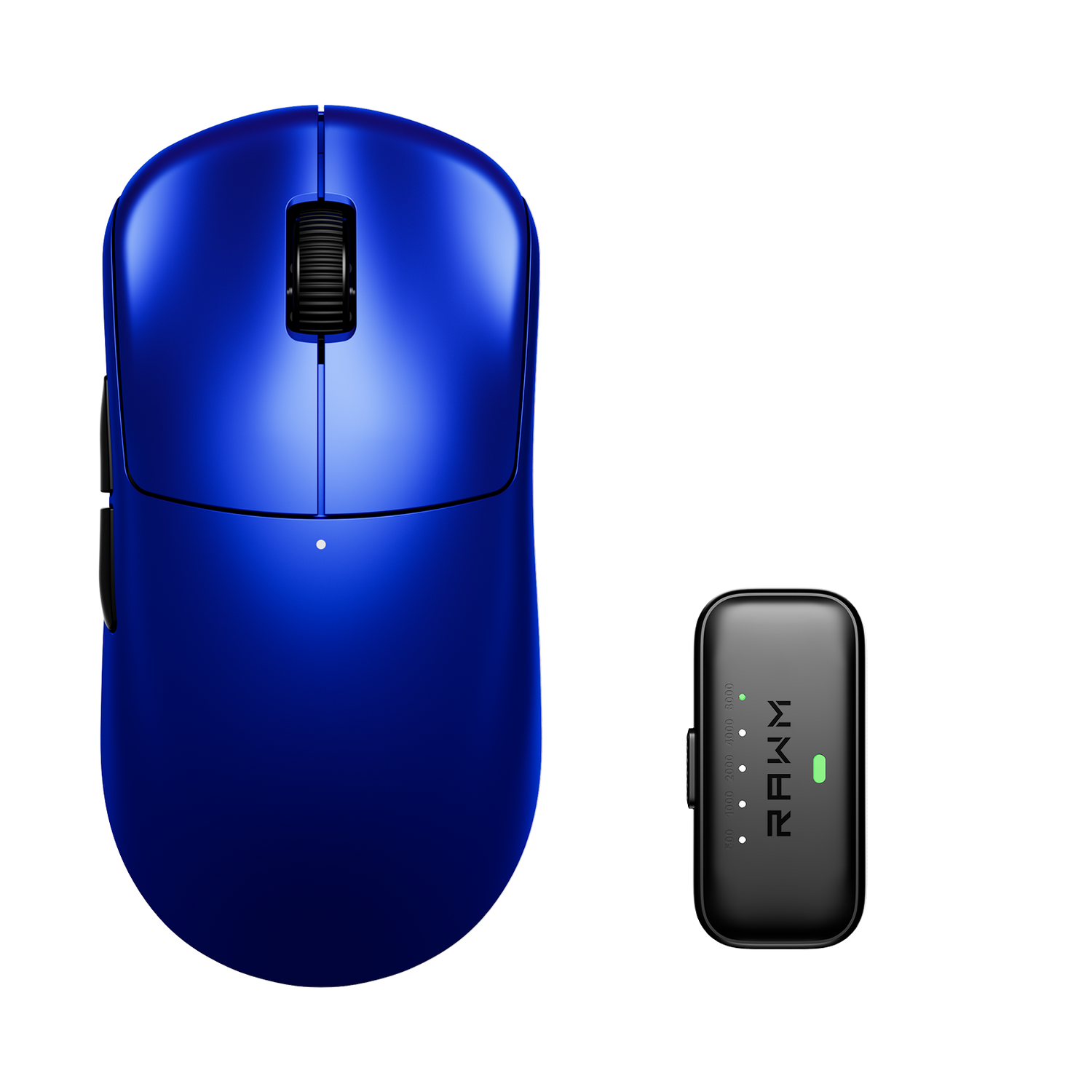
Consider verified models like the RAWM ER21PRO, which blend optimal shape design with advanced tech — perfect for players who value both comfort and performance.
Once you integrate ELOshape analysis into your buying decisions, you’ll never waste money on a poorly fitting mouse again.
In the end, learning how to judge shape via ELOshapes empowers gamers to make smarter, comfort-driven decisions.
Instead of chasing hype or brand popularity, you’re using tangible, data-backed ergonomics to guide your choice — and that’s exactly what professional players do.
So, next time you’re browsing for your next gaming mouse, don’t just look at specs. Look at shapes with ELOshapes, compare your favorites, and find the design that fits you best.
Have you tried using Eloshapes before to compare your mouse shape preferences?
Which mouse feels best in your hand?
Share your experience below, and let’s see if the data matches your comfort!
>>See also What mouse do pro gamers use? >>>>>