Why RAWM Gaming Mouse Pad Surface is the Ultimate Popularity Choice for Gamers
- 1. What Makes a Gaming Mouse Pad Essential for Gamers?
- 2. The QcK Surface: A Popular Choice in Gaming
- 3. Why RAWM Gaming Mouse Pads Are Perfect for Gamers
- 4. RAWM vs. QcK: Which One Is Better for Gamers?
- 5. How to Choose the Best Gaming Mouse Pad for Your Style
- 6. Elevate Your Gaming Setup with the Best Mouse Pad
As a gamer, every piece of equipment you use plays a role in your overall performance, and one often overlooked accessory is the gaming mouse pad. While gaming mice are essential for precision, the mouse pad surface can make a world of difference. A high-quality mouse pad can improve mouse accuracy, reduce friction, and even contribute to faster reaction times.
The QcK mousepad by SteelSeries is one of the most popular choices among gamers, known for its smooth surface and reliability. But when it comes to gaming, RAWM Gaming Mouse Pads offer a unique blend of comfort, durability, and precision that rivals the best in the market. Let me explore why RAWM Gaming Mouse Pads are becoming a top choice for gamers.
1. What Makes a Gaming Mouse Pad Essential for Gamers?
The Importance of the Right Surface for Accuracy
The right mouse pad surface is crucial for achieving the best gaming mouse performance. Whether you're playing FPS, MOBA, or RTS games, your mousepad directly impacts your precision, speed, and control. Here’s why mouse surface matters:
-
Smoothness and Friction: A smoother surface with low friction allows for faster and more fluid mouse movements.
-
Comfort: The padding and surface texture of the mousepad can affect your wrist comfort during extended gaming sessions.
-
Consistency: A quality mousepad ensures consistent mouse tracking, reducing input lag or skipped movements during intense gameplay.
In competitive gaming, a gaming mouse pad with a surface that offers the right level of friction can improve your gameplay, making it a crucial part of your gear.
2. The QcK Surface: A Popular Choice in Gaming
Why Gamers Love the QcK Mousepad
SteelSeries’ QcK mousepad has been a popular choice among gamers for many years. Its success lies in its balance between smoothness and friction, which makes it suitable for both fast and precise movements. Let’s break down why many gamers swear by the QcK mousepad:
Pros of the QcK Mousepad:
-
Smooth Surface: Provides a frictionless surface for fast-paced FPS games like Call of Duty and Apex Legends.
-
Consistency: The consistent surface ensures precise tracking and high accuracy.
-
Affordability: The QcK mousepad is a cost-effective option for gamers, without compromising on performance.
Cons of the QcK Mousepad:
-
Durability: The surface may wear down over time, especially with frequent use in competitive settings.
-
Limited Customization: Lacks the customizable features found in more premium options, such as RGB lighting or a unique surface texture.
While QcK remains a solid choice, the RAWM Gaming Mouse Pad brings even more advantages for gamers looking for enhanced performance and style.
3. Why RAWM Gaming Mouse Pads Are Perfect for Gamers
The Key Features of RAWM Gaming Mouse Pads
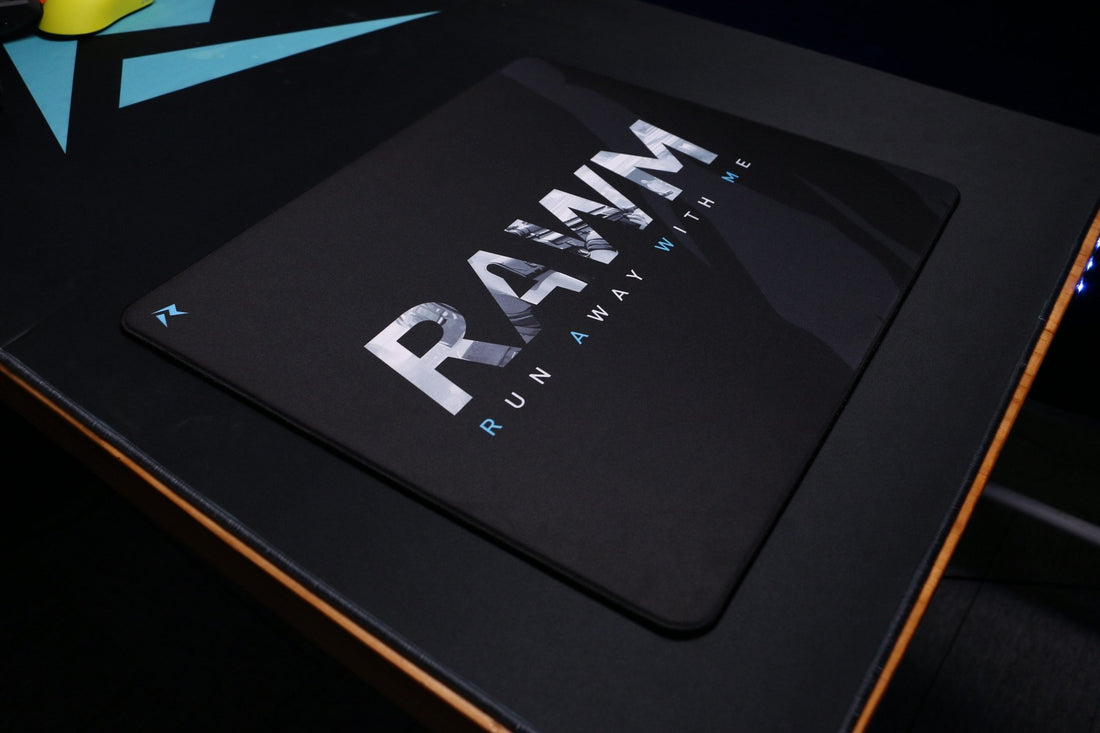
RAWM Gaming Mouse Pads are designed with the gamer in mind. Whether you’re playing for hours or preparing for a tournament, our gaming mouse pads offer features that make a difference in your gameplay.
Key Features:
-
Custom Surface Texture: RAWM’s gaming mouse pad is designed with a texture that balances friction and smoothness, ensuring accurate mouse tracking while allowing for faster movements.
-
Durability: Made from high-quality materials, RAWM mouse pads are built to last, even through intense and prolonged gaming sessions.
-
Comfort: With memory foam cushioning, the RAWM Gaming Mouse Pad provides ultimate comfort, reducing wrist strain during long gaming hours.
-
Stylish Design: Available in various sizes, RAWM mouse pads come with a sleek design that complements any gaming setup.

4. RAWM vs. QcK: Which One Is Better for Gamers?
Comparison of RAWM Gaming Mouse Pads vs. QcK Mousepads
When it comes to choosing the right gaming mouse pad, both the RAWM and SteelSeries QcK offer high performance. However, each one excels in different areas.
Performance Comparison: RAWM vs. QcK
| Feature | RAWM Gaming Mouse Pad | SteelSeries QcK Mousepad |
|---|---|---|
| Surface Type | Custom-designed for precision and speed | Smooth, low-friction surface |
| Durability | High durability, long-lasting material | Can wear out after heavy use |
| Comfort | Basic padding, no wrist support | Basic padding, no wrist support |
| Price | Mid-range, offering value for performance | Affordable, budget-friendly option |
Pros and Cons:
-
RAWM Gaming Mouse Pads:
-
Pros: Higher durability, customizable options (size), ideal for various gaming styles.
-
Cons: Slightly higher price point compared to the QcK.
-
-
SteelSeries QcK Mousepad:
-
Pros: Affordable, widely recognized for its reliability and consistency, great for beginners.
-
Cons: Limited in terms of customization and longevity.
-
5. How to Choose the Best Gaming Mouse Pad for Your Style
What to Look for in a Gaming Mouse Pad
When selecting the best gaming mouse pad, here are some factors to consider:
-
Surface Material: Decide if you prefer a smoother or more textured surface based on your playstyle. FPS gamers tend to prefer smoother surfaces for faster movements, while MOBA and RTS gamers may prefer a slightly textured surface for control.
-
Size and Comfort: Larger mouse pads offer more space for larger mouse movements, while smaller pads are more portable. Memory foam padding is a great addition for comfort during long gaming sessions.
-
Durability: Choose a gaming mouse pad that will withstand heavy use over time, especially if you game frequently or competitively.
6. Elevate Your Gaming Setup with the Best Mouse Pad
A good gaming mouse pad is essential for enhancing your gaming experience, whether you're battling in FPS games or executing intricate strategies in MOBA games. While the QcK mousepad by SteelSeries is a popular choice, the RAWM Gaming Mouse Pad offers superior durability, comfort, and performance, making it the ideal choice for serious gamers.
If you’re looking for a gaming mouse pad that combines precision, comfort, and style, the RAWM Gaming Mouse Pad is your perfect companion. With features like memory foam cushioning, a customizable surface, and enhanced durability, it’s designed to elevate your gaming performance.
What features do you look for in a gaming mouse pad? Do you prefer a smoother surface for faster movements or a more textured one for control? Let us know your thoughts in the comments below!
>>See also What is Debounce Time on a Gaming Mouse and Why Does It Matter? >>>>>