
Mouse Grip Types That Help You Find the Best Mouse Grip for Gaming
- 1. Understanding Mouse Grip Types for Optimal Gaming
- 2. Why Palm Grip Is the Most Common Mouse Grip for Gaming
- 3. The Role of Claw Grip in FPS Gaming Accuracy
- 4. Fingertip Grip Offers Speed but Requires Control
- 5. How to Identify Your Natural Mouse Grip Style
- 6. Matching Mouse Grip with Mouse Type and Game Genre
- 7. How Hand Size Affects the Best Mouse Grip for Gaming
- 8. Adjusting Your Setup to Support Your Preferred Grip Style
-
9. Pros and Cons Summary of Each Grip Type

Choosing the best mouse grip for gaming can significantly impact your performance in fast-paced titles like Call of Duty, Valorant, and League of Legends. Whether you're a casual player or an esports competitor, your grip style affects accuracy, comfort, and endurance. Let's explore all mouse grip types and how to determine the best mouse grip for gaming. From claw grips to palm grips and fingertip styles, we guide you to find what suits your hand size, playstyle, and needs. Read on to discover the best mouse grip for gaming.
1. Understanding Mouse Grip Types for Optimal Gaming
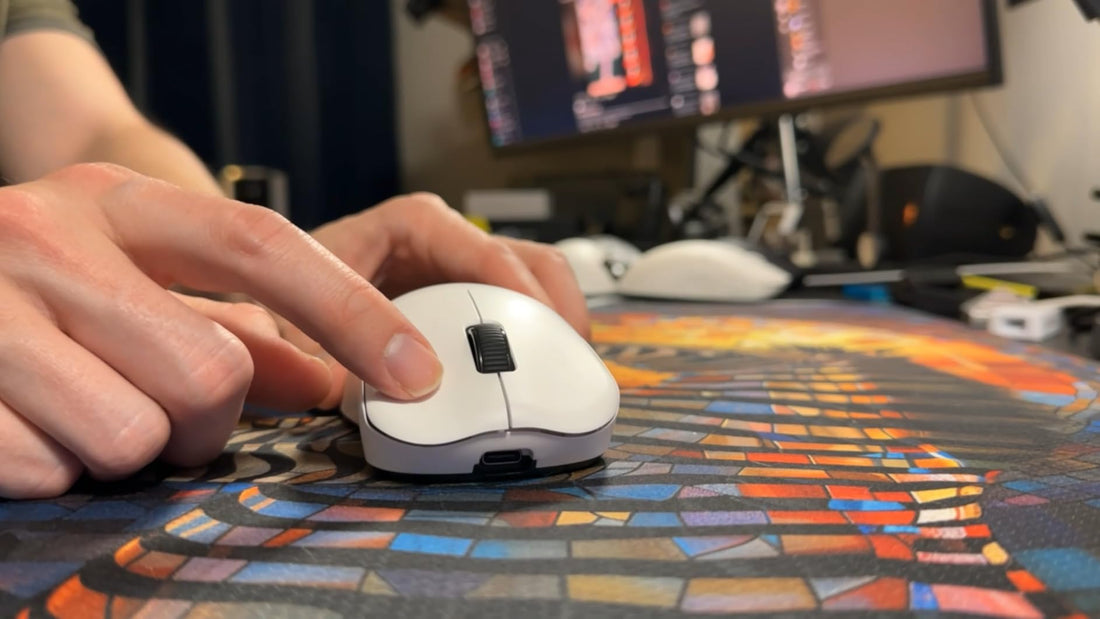
There are three primary grip styles most gamers use: palm grip, claw grip, and fingertip grip. Each offers distinct advantages and drawbacks.
| Grip Type | Key Feature | Suitable For |
|---|---|---|
| Palm Grip | Full-hand contact | Comfort and long sessions |
| Claw Grip | Bent fingers, precise aim | FPS accuracy |
| Fingertip Grip | Only fingertips touch | Speed and mobility |
Knowing which type you naturally use is the first step to choosing the best mouse grip for gaming.
2. Why Palm Grip Is the Most Common Mouse Grip for Gaming
The palm grip is widely preferred because it allows the hand to rest entirely on the mouse. This grip style is best for comfort and reduces wrist strain during long gaming hours. If you're looking for endurance and general gameplay consistency, this could be the best mouse grip for gaming for you.
3. The Role of Claw Grip in FPS Gaming Accuracy
The claw grip allows quicker clicks and improved response, especially in first-person shooter (FPS) games. Gamers with smaller hands also tend to favor this grip. If your main goal is rapid aim and headshots, claw grip may be the best mouse grip for gaming in your case.
4. Fingertip Grip Offers Speed but Requires Control
The fingertip grip has minimal contact with the mouse, increasing agility but demanding more finger strength and control. Gamers who value high-speed maneuverability might consider this the best mouse grip for gaming, particularly in RTS and MOBA games.
5. How to Identify Your Natural Mouse Grip Style
To figure out your grip, try this:
-
Relax your hand and place it on your current gaming mouse
-
Note where your palm and fingers rest
-
Observe how much movement comes from your wrist vs fingers
This simple check can help you determine the best mouse grip for gaming according to your muscle memory.
6. Matching Mouse Grip with Mouse Type and Game Genre
Different grip styles work better with specific mouse shapes and genres:
| Game Genre | Recommended Grip | Mouse Suggestion |
|---|---|---|
| FPS | Claw/Fingertip | Lightweight, low-profile mice |
| MOBA | Palm/Fingertip | Balanced weight, wide design |
| MMORPG | Palm | Ergonomic, large-size with side buttons |
Understanding the synergy can ensure you're using the best mouse grip for gaming across platforms.
7. How Hand Size Affects the Best Mouse Grip for Gaming
Small hands may struggle with palm grip but excel with claw or fingertip grip. Large hands might feel cramped using claw grip. Measure your hand and compare it with mouse size charts from brands like Logitech and Razer to find a comfortable fit and optimize for the best mouse grip for gaming.
8. Adjusting Your Setup to Support Your Preferred Grip Style
Your mouse pad size, DPI settings, and wrist rest also influence your grip comfort and precision. If you're aiming to use the best mouse grip for gaming, complement it with:
-
A large mousepad for palm grip
-
Medium pad with medium DPI for claw grip
-
High DPI and small mouse for fingertip grip
9. Pros and Cons Summary of Each Grip Type
| Grip Style | Pros | Cons |
|---|---|---|
| Palm Grip | Comfortable, natural hand position | Less precision |
| Claw Grip | High accuracy, fast clicking | May cause fatigue |
| Fingertip Grip | Quickest response, agile control | Demands muscle control and precision |
This table helps summarize what might be the best mouse grip for gaming based on your needs.
Thoughts on Choosing the Best Mouse Grip for Gaming
Finding the best mouse grip for gaming depends on your personal comfort, hand size, and gaming style. Try experimenting with different grips during training modes or casual matches. Over time, you'll notice which grip feels most natural and improves your score.
Choosing the best mouse grip for gaming is more than a comfort preference—it's a strategic decision. Your grip style impacts accuracy, reaction speed, and even long-term wrist health. Whether you lean toward claw, palm, or fingertip, test it thoroughly and adjust your mouse and pad accordingly. In the end, your gaming setup is only as good as your grip. Mastering the best mouse grip for gaming could be the edge you’ve been missing.
What mouse grip style do you use, and how does it affect your gameplay? Share your thoughts in the comments!
>>See also Top Rated Side Button Mouse Choices for Competitive CSGO Gaming >>>>>






