
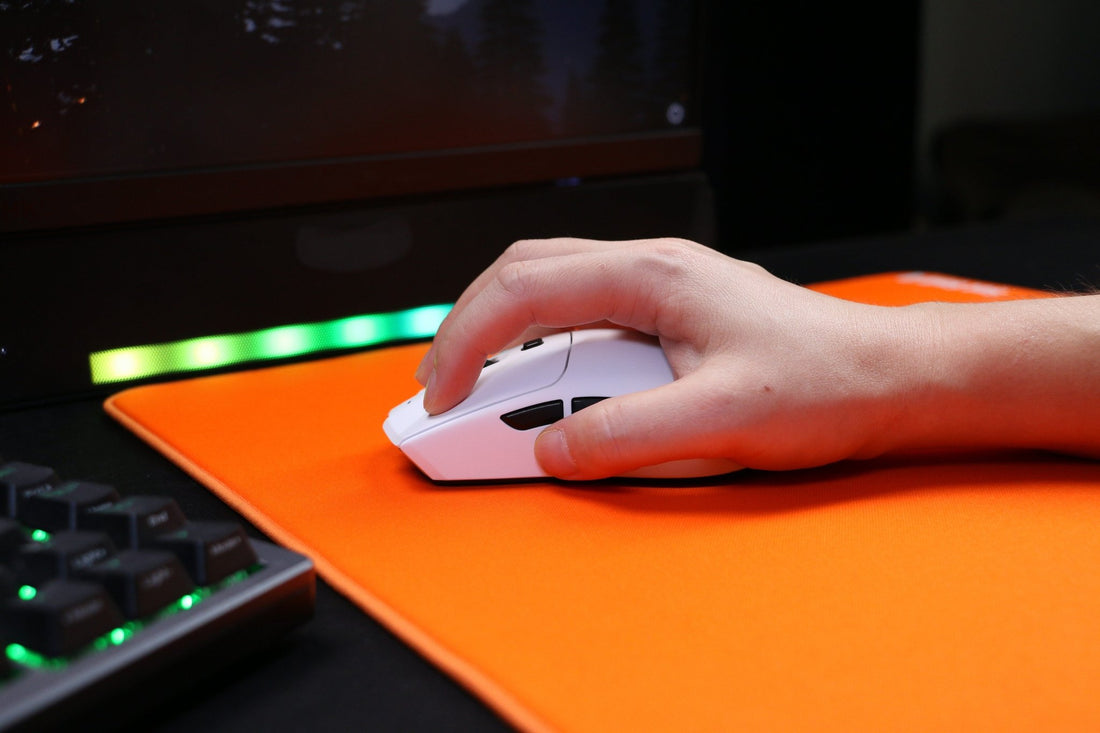
What Polling Rate Do Pros Use?
01 Understanding Polling Rate in Gaming Mice
02 What Polling Rate Do Pros Use in Esports?
03 Comparison of Different Polling Rates
04 Why Most Pros Stick to 1000Hz
05 How to Choose the Right Polling Rate for You
06 Polling Rate vs DPI: Common Misconceptions
07 Should You Upgrade to a Higher Polling Rate Mouse?

When it comes to competitive gaming, every millisecond counts. That’s why players often ask: what polling rate do pros use? Polling rate refers to how often your mouse reports its position to your computer, measured in Hertz (Hz). A higher polling rate means faster response times and smoother gameplay—critical for esports professionals competing in fast-paced FPS titles like CS2, Valorant, or Apex Legends.
01 Understanding Polling Rate in Gaming Mice
To determine what polling rate do pros use, it’s essential to understand what polling rate means.
-
Polling Rate (Hz) → The number of times per second the mouse sends data to the PC.
-
Common Options: 125Hz, 250Hz, 500Hz, 1000Hz, and now even 2000Hz–8000Hz in premium models.
-
Effect on Gaming: Higher polling rates reduce input lag and create smoother cursor movements, which is crucial in competitive gaming.
For example, a 1000Hz polling rate reports every 1 millisecond, while a 125Hz polling rate reports every 8 milliseconds—a significant difference in high-level play.
02 What Polling Rate Do Pros Use in Esports?
One of the most common questions gamers ask is: what polling rate do pros use? The short answer: most professional esports players use 1000Hz.
-
FPS Pros (CS2, Valorant, Apex Legends) → 1000Hz is standard.
-
MOBA Pros (League of Legends, Dota 2) → 500Hz and 1000Hz are common.
-
Casual or Competitive MMO Players → 500Hz is usually sufficient.
Recently, some pros have started experimenting with 2000Hz+ mice like the Razer Viper 8KHz. However, many stick with 1000Hz because it balances performance with system stability.
03 Comparison of Different Polling Rates
To evaluate what polling rate do pros use, let’s look at how different rates perform:
| Polling Rate | Report Interval | Pros | Cons | Best For |
|---|---|---|---|---|
| 125Hz | 8ms | Stable, low CPU usage | Noticeable input lag | Office use, casual gaming |
| 500Hz | 2ms | Balanced speed and efficiency | Slightly slower than 1000Hz | MOBAs, strategy games |
| 1000Hz | 1ms | Standard for esports, smooth and responsive | Slightly higher CPU load | FPS, competitive gaming |
| 2000–8000Hz | 0.5–0.125ms | Ultra-fast, cutting-edge response | Requires strong CPU, diminishing returns | Pro FPS players, enthusiasts |
This makes it clear why most pros prefer 1000Hz—it offers reliable performance without overloading the system.
04 Why Most Pros Stick to 1000Hz
When analyzing what polling rate do pros use, 1000Hz is the gold standard. But why not always go higher?
-
Stability: Higher polling rates like 4000Hz or 8000Hz require powerful CPUs. If your system can’t handle it, performance may stutter.
-
Diminishing Returns: Going from 125Hz to 1000Hz is a massive improvement. But beyond 1000Hz, the difference becomes less noticeable to the human eye.
-
Industry Standard: Tournaments and esports organizations often optimize around 1000Hz.
This makes 1000Hz the safest and most reliable option for professional play.
05 How to Choose the Right Polling Rate for You
When asking yourself what polling rate do pros use, it’s also important to consider what’s right for your setup.
-
If you’re a casual gamer → 500Hz is often enough.
-
If you’re competitive or aspiring pro → Stick to 1000Hz.
-
If you have a high-end PC and play FPS at the highest level → Consider testing 2000–8000Hz if supported.
👉 Pro Tip: Always test different polling rates in your favorite game to see what feels best for you.
06 Polling Rate vs DPI: Common Misconceptions
Many confuse polling rate with DPI (dots per inch). To understand what polling rate do pros use, it’s vital to separate these two settings:
-
DPI → Determines how sensitive the mouse is (cursor speed).
-
Polling Rate → Determines how often the mouse reports movements.
For optimal performance, pros usually pair low-to-medium DPI (400–1600) with a 1000Hz polling rate. This ensures precision aiming with smooth response times.
07 Should You Upgrade to a Higher Polling Rate Mouse?
The gaming industry has recently introduced mice with 2000Hz, 4000Hz, and even 8000Hz polling rates. But when considering what polling rate do pros use, the answer is still usually 1000Hz.
-
Yes, upgrade if: you’re a competitive FPS player with a high-refresh monitor and powerful CPU.
-
No need if: you mainly play casual games or your PC struggles with higher polling demands.
In most cases, 1000Hz provides the best balance between speed and stability.
What Polling Rate Do Pros Use?
So, what polling rate do pros use? The overwhelming majority of esports professionals use 1000Hz, as it offers the ideal balance of performance, accuracy, and system compatibility. While higher polling rates are available, they often deliver diminishing returns and require powerful hardware.
For casual players, 500Hz may be sufficient, while pros and aspiring competitors should stick with 1000Hz as the gold standard. If you’re an enthusiast with top-tier hardware, experimenting with 2000Hz or beyond can give you a slight edge—but for most players, it’s not essential.
👉 Have you tried higher polling rates like 2000Hz or 8000Hz? Did you notice a big difference compared to 1000Hz?
>>See also Which Grip Style is Best for Palm/Claw/Fingertip? >>>>>







43 comments
I like using higher polling rates, but it drains my batteries faster and I don’t really like the idea of a wired mouse anymore. Gotta compensate for lower so I don’t have to charge my mouse often.
Neat. Nice info.
Good to know this
Thanks for sharing
Nice to know, thanks