

What are the best budget gaming mice under $50
01 Why Choosing the Best Budget Gaming Mice Under $50 Matters
02 Features to Look For in the Best Budget Gaming Mice Under $50
03 Top Picks for the Best Budget Gaming Mice Under $50
04 Wired vs Wireless in Budget Gaming Mice
05 Pros and Cons of Buying Budget Gaming Mice
06 Tips for Choosing the Best Budget Gaming Mice Under $50

01 Why Choosing the Best Budget Gaming Mice Under $50 Matters
Gaming mice are not just about aesthetics—they directly affect performance. Many gamers wonder if spending less means compromising on quality. However, some of the best budget gaming mice under $50 include high DPI sensors, programmable buttons, and lightweight ergonomic designs.
Factors that make budget gaming mice appealing:
-
Affordability → Perfect for beginners or players on a budget.
-
Durability → Many affordable models are built to withstand intense gaming sessions.
-
Competitive Performance → Even at a lower price, some models feature 1000Hz polling rates and precision sensors.
The key is knowing which budget mice under $50 offer the most value.
02 Features to Look For in the Best Budget Gaming Mice Under $50
When shopping for the best budget gaming mice under $50, you should evaluate features that actually impact gaming.
| Feature | Why It Matters | Recommended Standard |
|---|---|---|
| Sensor Type | Determines tracking accuracy | Optical over laser |
| DPI Range | Affects sensitivity levels | 400–26,000 DPI |
| Polling Rate | Lower latency, smoother tracking | 1000Hz |
| Weight | Impacts aim precision | 50–100g (FPS) |
| Programmable Buttons | Useful for MMOs & productivity | 5–8 |
| Grip Comfort | Long gaming sessions require comfort | Ergonomic or ambidextrous |
| Build Quality | Ensures longevity | Switches rated 20M+ clicks |
Looking for these specs ensures that the best budget gaming mice under $50 will still provide premium-level performance.
03 Top Picks for the Best Budget Gaming Mice Under $50
Now let’s break down some of the most reliable and high-performing options for those wondering what are the best budget gaming mice under $50.
1. Logitech G203 Lightsync
-
Sensor: Mercury 8,000 DPI
-
Weight: 85g
-
Pros: Great RGB lighting, reliable sensor, long lifespan switches.
-
Why It’s Great: A go-to choice for entry-level gamers who want a dependable wired mouse at a very low price.
2. Razer DeathAdder Essential
-
Sensor: 6,400 DPI Optical
-
Weight: 96g
-
Pros: Classic ergonomic design, durable build, comfortable for large hands.
-
Why It’s Great: Part of Razer’s legendary lineup, stripped to essentials but still excellent.
3. Redragon M711 Cobra
-
Sensor: 10,000 DPI Optical
-
Weight: 85g
-
Pros: Customizable RGB, lightweight, 7 programmable buttons.
-
Why It’s Great: Offers premium-like features at a budget price, ideal for FPS gamers.
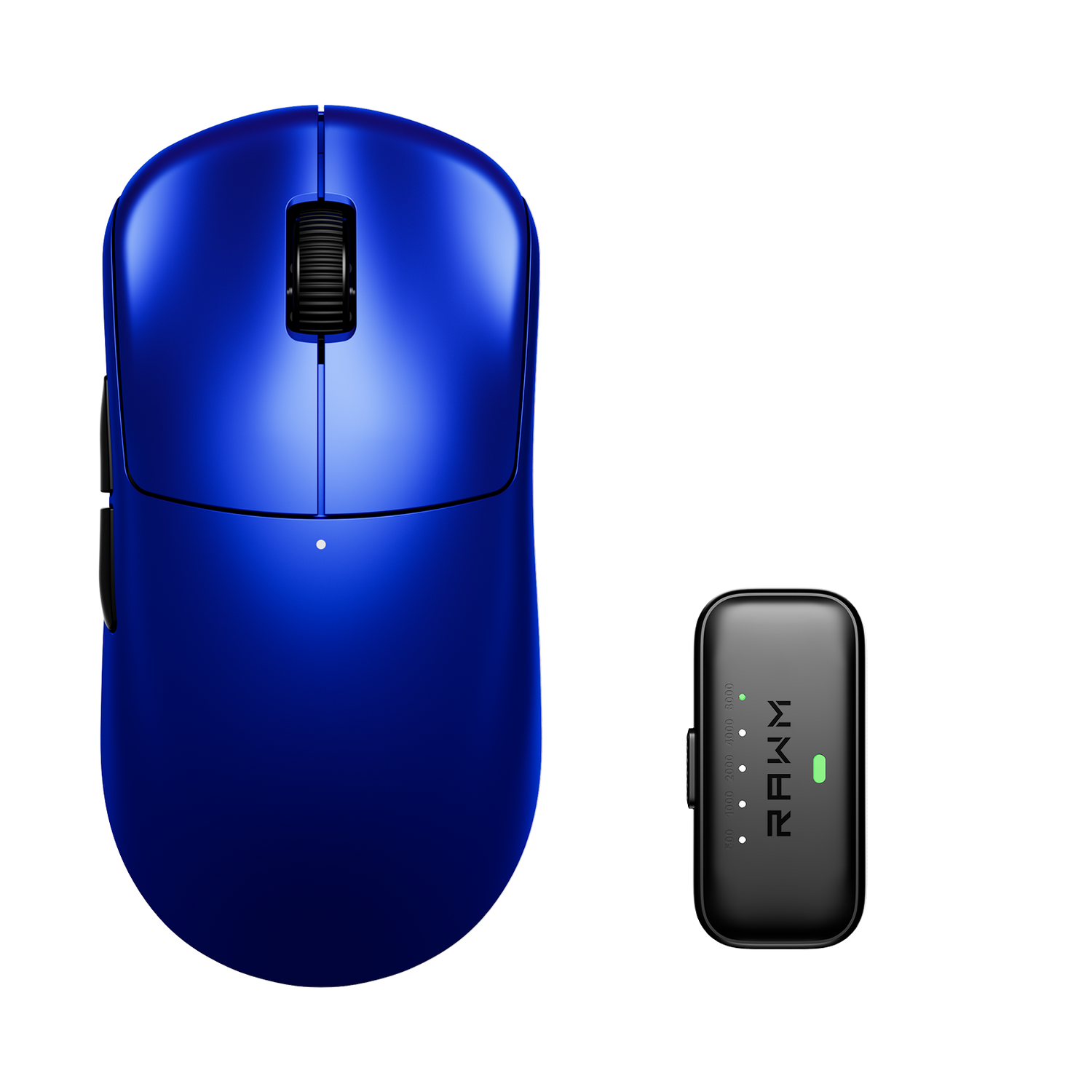
4. RAWM MH01-8K
-
Sensor: PixArt 3395, 26,000 DPI
-
Weight: 72g(ultralight design for big hands)
-
Pros: Extremely lightweight, durable switches.
-
Why It’s Great: High-end performance sensor in a budget package.
5. RAWM SH01-8K
-
Sensor: PixArt 3395, 26,000 DPI
-
Weight: 60g (ultralight design for small hands)
-
Pros: Ultra-lightweight, claw grip design.
-
Why It’s Great: Often drops under $50 on sale, making it one of the best deals in gaming mice history.
These picks prove that the best budget gaming mice under $50 can perform at levels gamers once thought impossible for entry-level gear.
04 Wired vs Wireless in Budget Gaming Mice
Another question players ask when searching for the best budget gaming mice under $50 is whether to go wired or wireless.
-
Wired Mice → Almost always cheaper, zero latency, and no need for charging.
-
Wireless Mice → More expensive but increasingly available under $50 with 2.4GHz dongles.
👉 If your priority is absolute performance at the lowest cost, wired mice dominate this price point.
05 Pros and Cons of Buying Budget Gaming Mice
When deciding what are the best budget gaming mice under $50, consider both strengths and trade-offs.
Pros
-
Affordable entry into PC gaming peripherals.
-
Surprisingly strong performance with modern sensors.
-
Often lighter than premium mice, which benefits FPS gamers.
Cons
-
May lack premium build quality (plastic feel, cable stiffness).
-
Limited software customization in some brands.
-
RGB lighting and extra features sometimes scaled down.
If you understand these trade-offs, finding the best budget gaming mice under $50 becomes much easier.
06 Tips for Choosing the Best Budget Gaming Mice Under $50
To make the smartest choice when evaluating what are the best budget gaming mice under $50, follow these tips:
-
Know Your Game Genre → FPS = lightweight, high DPI; MMO = more buttons.
-
Check the Sensor → Avoid cheap laser sensors, look for optical sensors from PixArt or Logitech.
-
Weight Preference → Ultralight for fast aim, heavier for stability.
-
Look for Sales → Premium models like Cooler Master MM710 often dip under $50.
-
Read Reviews → User experience often reveals hidden flaws like cable stiffness or software bugs.
By applying these tips, you’ll confidently answer the question: what are the best budget gaming mice under $50 for me?
What Are the Best Budget Gaming Mice Under $50
So, what are the best budget gaming mice under $50? The truth is, modern entry-level gaming mice are incredibly competitive. With options like the Logitech G203, SteelSeries Rival 3, and Razer DeathAdder Essential, you don’t need to spend premium prices to get premium performance.
For players on a budget, the key is focusing on core performance features—sensor quality, polling rate, weight, and durability—rather than flashy extras. If you make the right choice, you’ll enjoy a gaming experience that rivals much more expensive gear.
👉 Which budget gaming mouse under $50 do you think offers the best value? Would you pick performance, durability, or lightweight design as your top priority?
>>See also Do wireless mice add latency? >>>>>






45 comments
I want that SH01 !!
Let’s go for the SH01-8K model.
I am still using the mouse that came with my cheap keyboard! I would love this.
thanks for good info – it’s nice to try new things
Thank you