
Do PTFE Skates Matter?
1. What Are PTFE Mouse Skates and Why Do They Matter?
2. Benefits of PTFE Mouse Skates in Competitive Gaming
3. How PTFE Mouse Skates Compare to Other Materials
4. Do PTFE Mouse Skates Really Improve FPS Performance?
5. How to Maintain and Replace PTFE Mouse Skates
6. Do PTFE Mouse Skates Suit Every Gaming Style?

When shopping for gaming accessories, you might come across the term PTFE mouse skates and wonder whether they really make a difference in your performance. Many gamers focus on DPI, polling rate, or mouse shape, but often overlook skates—the small pads on the underside of a mouse. Yet, these tiny components have a significant impact on glide, control, and long-term durability.
1. What Are PTFE Mouse Skates and Why Do They Matter?
PTFE mouse skates are thin pads made from Polytetrafluoroethylene (commonly known as Teflon), placed on the bottom of a mouse. Their purpose is to reduce friction between the mouse and the mousepad, ensuring smoother gliding. Compared to standard plastic feet, PTFE mouse skates are more durable, more responsive, and offer a noticeable performance boost.
If you’ve ever felt your mouse “dragging” on a cloth pad, chances are your stock skates wore down quickly. PTFE skates not only solve this problem but also improve consistency over long gaming sessions. For FPS players, where flick shots and micro-adjustments matter, the reduced resistance makes PTFE mouse skates critical.
2. Benefits of PTFE Mouse Skates in Competitive Gaming
Gamers often ask if PTFE mouse skates really provide a competitive advantage. The answer is yes. Their benefits include:
-
Smoother glide: Less resistance means quicker flicks and faster aim correction.
-
Consistency: Even after hours of use, PTFE maintains its smooth texture.
-
Durability: High-quality PTFE skates last significantly longer than stock plastic feet.
-
Reduced fatigue: Less drag equals less strain on your wrist and fingers.
To illustrate, here’s a quick comparison:
| Feature | Stock Plastic Skates | PTFE Mouse Skates |
|---|---|---|
| Glide Smoothness | Moderate | Very Smooth |
| Lifespan | 3–6 months | 9–18 months |
| Control in FPS games | Inconsistent | Highly Reliable |
| Wrist Fatigue | Higher | Lower |
This shows why professional players who demand precision overwhelmingly prefer PTFE mouse skates.
3. How PTFE Mouse Skates Compare to Other Materials
Not all skates are created equal. While PTFE mouse skates dominate the market, some mice still use alternatives like rubberized or hard plastic feet. These materials wear unevenly, increase friction, and negatively affect aim consistency.
-
Plastic skates: Cheap, but wear out quickly and cause drag.
-
Rubberized skates: Offer grip, but not ideal for gaming precision.
-
PTFE skates: Provide balance between glide and control, making them the gold standard.
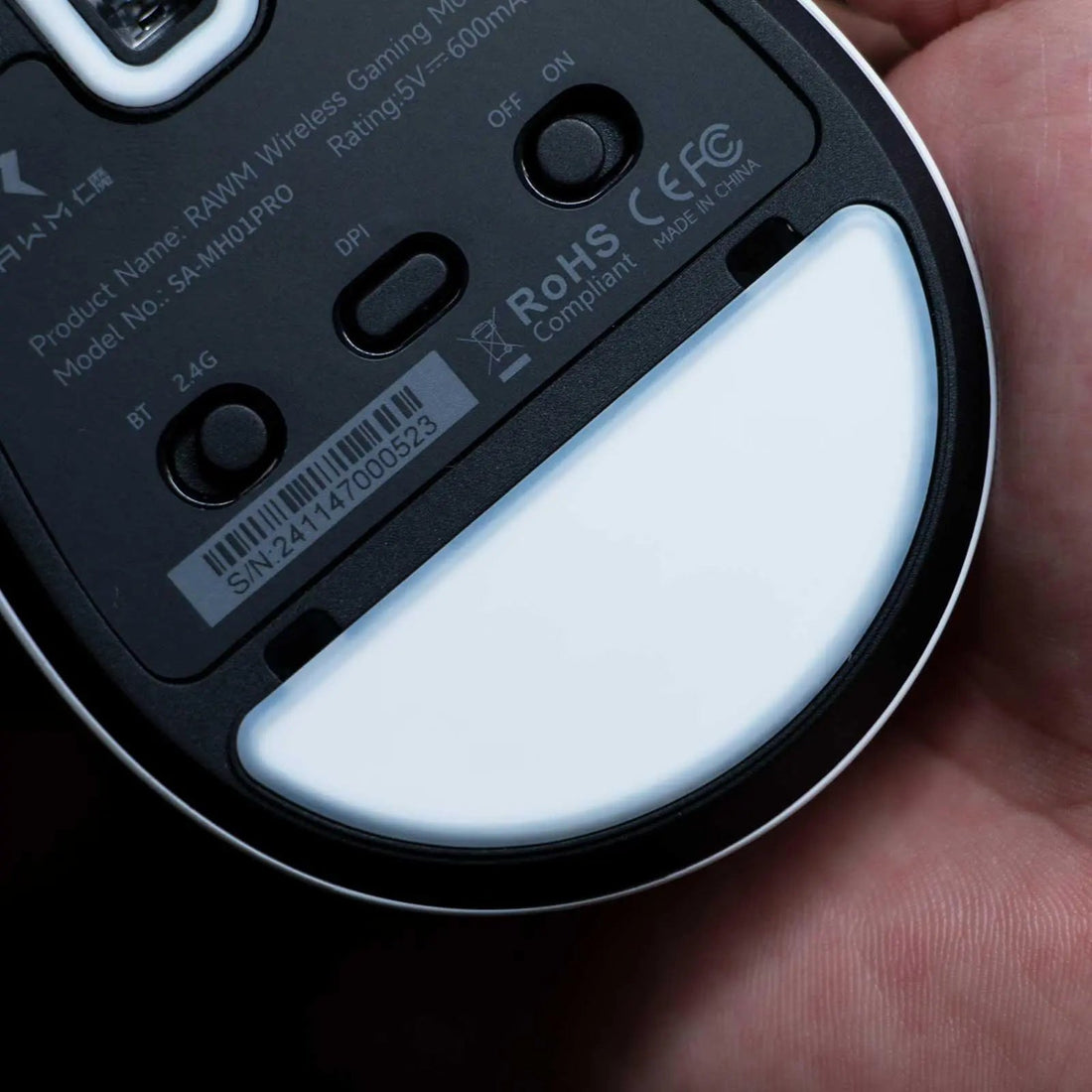
One of the key reasons PTFE mouse skates perform better is their low coefficient of friction, meaning they slide easily across cloth and hard pads. This is why top-tier mice like RAWM’s SH01PRO incorporate high-grade PTFE feet out of the box.
4. Do PTFE Mouse Skates Really Improve FPS Performance?
When it comes to shooters like CS2, Valorant, or Apex Legends, milliseconds matter. PTFE mouse skates reduce drag so players can execute faster flick shots and maintain smoother tracking. Research and community tests show players using PTFE skates report:
-
Up to 20% faster flick recovery times.
-
Improved aim tracking stability.
-
Lower wrist strain over long play sessions.
It’s not about making you a better gamer overnight, but rather providing the mechanical smoothness that allows your skills to shine. For competitive players, PTFE mouse skates absolutely matter.
5. How to Maintain and Replace PTFE Mouse Skates
Even the best PTFE mouse skates wear down over time. Proper maintenance ensures maximum performance:
-
Clean regularly: Dust and debris can damage glide.
-
Use a mousepad: Hard or dirty surfaces accelerate wear.
-
Replace when edges fray: Once the skates are uneven, your aim consistency drops.
Most brands sell replacement PTFE skates, and installation is simple. Peel off the old skates, clean the base, and stick on the new ones. For example, the RAWM ES21PRO not only comes with premium PTFE mouse skates but also offers replacement kits for long-term users.
6. Do PTFE Mouse Skates Suit Every Gaming Style?
The effectiveness of PTFE mouse skates depends on your gaming genre and grip style:
-
FPS players: Benefit most from faster glide and reduced drag.
-
MMO/MOBA players: Appreciate consistency for long sessions.
-
Casual gamers: Notice smoother overall control, but the difference may feel less dramatic.
In short, whether you’re a professional or casual gamer, PTFE skates contribute to comfort and accuracy.
Do PTFE Mouse Skates Matter?
So, do PTFE mouse skates matter? The answer is a definite yes. They may seem like a small detail, but they drastically affect how your mouse interacts with the pad. From reducing friction to enhancing consistency and improving longevity, PTFE skates elevate the entire gaming experience.
For gamers looking for long-term performance, choosing a mouse like the RAWM SH01PRO or ES21PRO, which comes equipped with premium PTFE mouse skates, ensures smooth gameplay and reliability.
If you’re still debating, consider this: professional gamers who need every possible edge consistently choose PTFE mouse skates for a reason.
PTFE mouse skates are not just marketing hype—they truly matter for gamers who care about smooth glide, consistent tracking, and long-lasting durability. Whether you’re playing competitive FPS or casual strategy games, upgrading to PTFE skates can improve your control and reduce fatigue.
👉 Have you tried a gaming mouse with PTFE mouse skates? Did you notice a difference in your aim and comfort compared to standard plastic feet?
>>See also Do professional gamers use wireless mice? >>>>>






