
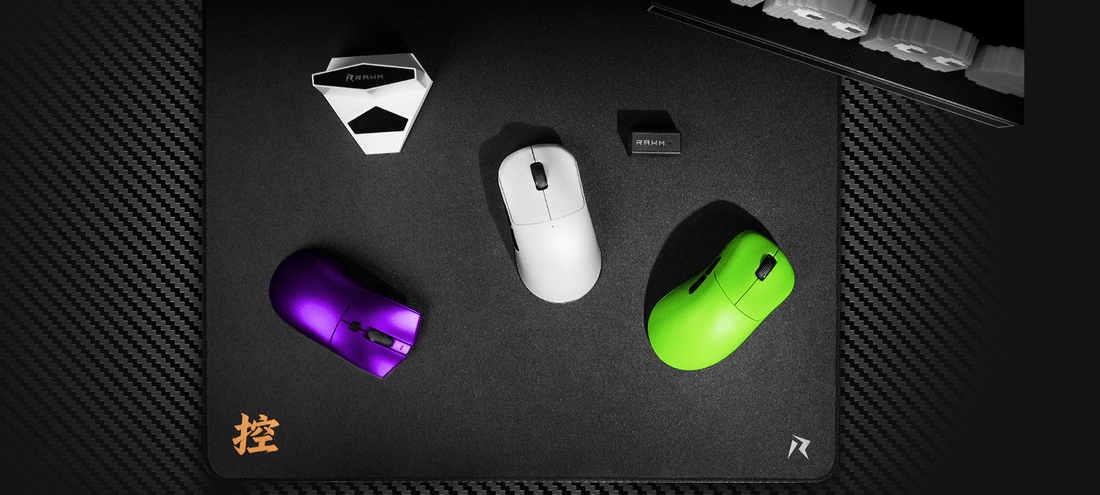
Can gaming mice work with Steam Deck?
1. Basic setup for gaming mice compatible with Steam Deck
2. Features of gaming mice compatible with Steam Deck
3. Top recommendations for gaming mice compatible with Steam Deck
4. Comparison table of gaming mice compatible with Steam Deck
5. Why choose gaming mice compatible with Steam Deck for portability
6. Tips for using gaming mice compatible with Steam Deck

The Steam Deck has quickly become one of the most popular handheld gaming devices, but many players wonder: can gaming mice work with Steam Deck? The short answer is yes. In fact, using gaming mice compatible with Steam Deck can completely change how you experience PC games on this portable console.
Whether you’re playing FPS titles, strategy games, or even just browsing with desktop mode, a mouse gives you the accuracy and speed that thumbsticks can’t match. But not every mouse works the same way.
1. Basic setup for gaming mice compatible with Steam Deck
The Steam Deck runs on SteamOS (Linux-based), which means it recognizes most USB and wireless mice right away. Here’s how easy it is to get started with gaming mice compatible with Steam Deck:
-
Wired connection: Plug in your mouse via USB-C (or USB-A using a hub).
-
Wireless dongle: Insert the 2.4 GHz dongle into the Steam Deck dock or hub, and it works instantly.
-
Bluetooth: Many gaming mice compatible with Steam Deck also support Bluetooth for quick pairing.
In most cases, no extra drivers are needed—the Steam Deck automatically detects basic mouse input.
2. Features of gaming mice compatible with Steam Deck
While basic functionality is supported, advanced features can vary. When choosing gaming mice compatible with Steam Deck, consider these aspects:
-
DPI adjustments: Some mice, like the RAWM ER21PRO, allow DPI switching directly on the mouse, so you don’t need Windows software.
-
Onboard memory: A must-have feature, as the Steam Deck does not support all brand-specific software.
-
Hot-swappable switches: Found in the RAWM SH01S, this extends durability and makes the mouse a long-term investment.
-
RGB lighting: While lighting effects usually default to preset modes, they work fine as plug-and-play.
These features make a huge difference in ensuring that your gaming mice compatible with Steam Deck aren’t just usable but actually enhance your gameplay.
3. Top recommendations for gaming mice compatible with Steam Deck
If you’re shopping for gaming mice compatible with Steam Deck, here are some excellent models:
-
RAWM ER21PRO – Lightweight, wireless, and portable, making it perfect for Steam Deck’s mobile setup.
-
RAWM SH01S – Durable with hot-swappable switches and long-lasting battery life.
-
Logitech G Pro X Superlight – Favored by esports players, compatible across multiple platforms.
-
Razer DeathAdder Essential – Affordable and reliable, though customization may be limited.
-
Corsair Harpoon RGB Wireless – Great budget-friendly option with cross-platform support.
4. Comparison table of gaming mice compatible with Steam Deck
| Mouse Model | Connection | Steam Deck Support | Onboard DPI | Special Features | Price |
|---|---|---|---|---|---|
| RAWM ER21PRO | Wireless | Full | Yes | Lightweight, low-latency | $49 |
| RAWM SH01S | Wireless | Full | Yes | Hot-swappable switches | $49 |
| Logitech G Pro X SL | Wireless | Full | Yes | Ultra-lightweight design | $129 |
| Razer DeathAdder Ess. | Wired | Basic only | Yes | Ergonomic shape | $49 |
| Corsair Harpoon RGB | Wireless | Full | Yes | RGB customization (limited) | $59 |
From this comparison, it’s clear that RAWM mice provide excellent value while being truly gaming mice compatible with Steam Deck, especially for users who want portability without sacrificing advanced features.
5. Why choose gaming mice compatible with Steam Deck for portability
One of the main reasons to use gaming mice compatible with Steam Deck is portability. Since the Steam Deck is designed for travel, your accessories should match that lifestyle. Key considerations:
-
Size and weight: Lighter mice like the RAWM ER21PRO won’t weigh down your setup.
-
Battery life: Models like RAWM SH01S ensure you don’t have to charge frequently.
-
No software dependency: Because the Steam Deck doesn’t support most gaming mouse software, hardware-level DPI and macros are essential.
This makes RAWM a strong contender when looking for the most practical gaming mice compatible with Steam Deck.
6. Tips for using gaming mice compatible with Steam Deck
To get the best experience with gaming mice compatible with Steam Deck, follow these tips:
-
Use a Steam Deck dock or USB-C hub for easier connectivity.
-
Enable desktop mode for productivity and game modding.
-
Choose a mouse with onboard DPI profiles for quick adjustments.
-
Keep a travel mouse pad handy for consistent tracking.
-
Pick wireless options with 2.4 GHz dongles for lower latency compared to Bluetooth.
These small optimizations ensure you get desktop-level precision while gaming on your handheld device.
So, can gaming mice work with Steam Deck? Absolutely. Most modern mice connect instantly, but the best choice is to use gaming mice compatible with Steam Deck that have onboard customization, wireless flexibility, and lightweight portability.
Models like the RAWM ER21PRO and RAWM SH01S are excellent examples because they are designed with cross-platform compatibility in mind. Whether you’re a competitive gamer or a casual player, the right mouse can turn your Steam Deck into a true portable PC powerhouse.
👉 What about you—when choosing gaming mice compatible with Steam Deck, do you prioritize low-latency performance, battery life, or lightweight portability?
>>See also Are gaming mice compatible with Mac Linux? >>>>>






