
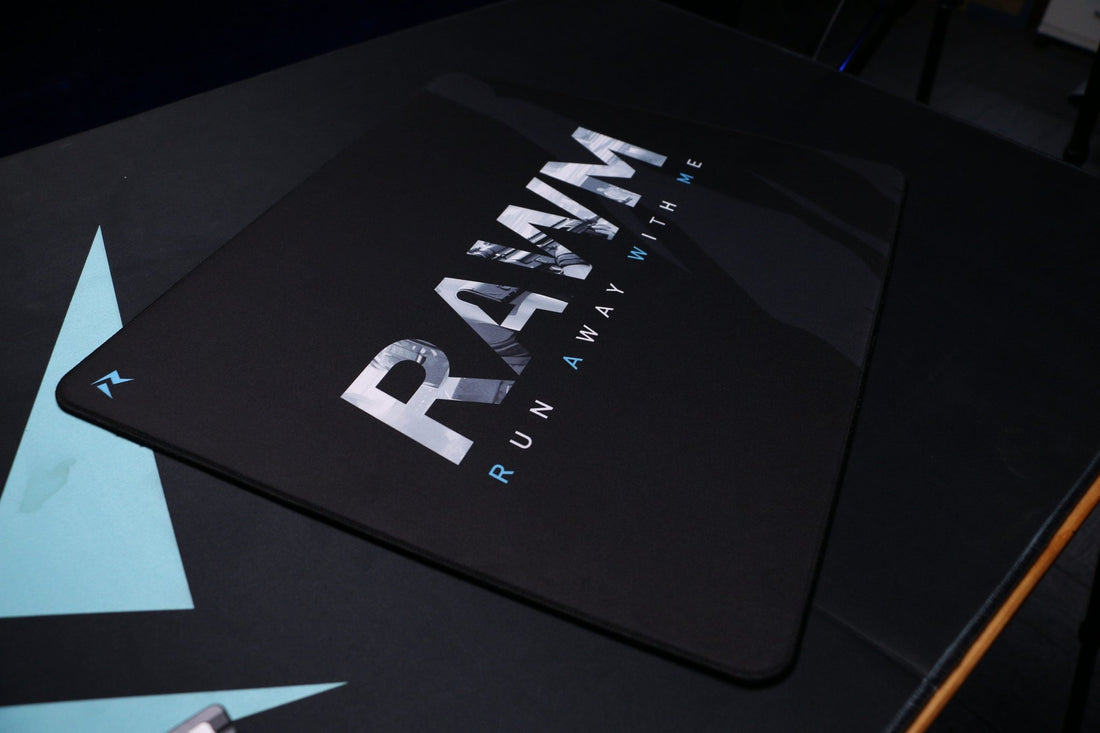
A Comprehensive Guide to Choosing the Right Mousepad Size for Your Desk Setup
- 1.Why the Right Mousepad Size is Crucial
- 2. Why the Right Mousepad Size Matters for Your Setup
- 3. Common Mousepad Sizes: What Are Your Options?
- 4. How to Choose the Right Mousepad Size for Your Desk
- 5. Gaming vs. Office Mousepad Sizes: Which One Do You Need?
- 6. Key Factors to Consider When Choosing Your Mousepad

1. Why the Right Mousepad Size is Crucial
Choosing the right mousepad size for desk setup is more important than many realize. Whether you're working, gaming, or designing, the size of your mousepad can affect your comfort and performance. For office workers and gamers alike, selecting the best mousepad size ensures optimal space for mouse movement, enhances precision, and reduces wrist strain. With so many options available, understanding which size fits your needs is essential for creating a comfortable and efficient workspace.
Let's break down the most common mousepad sizes, helping you choose the ideal one for your desk setup. Whether you have limited desk space or a large workstation, there is a mousepad size for every need.
2. Why the Right Mousepad Size Matters for Your Setup
Selecting the right mousepad size for desk setup is crucial to your comfort and productivity. The size of your mousepad impacts the space available for moving your mouse and how comfortable you feel while using it. A larger mousepad offers ample space for wider, more fluid mouse movements, which is especially important for gamers or designers who need precision.
Conversely, a smaller mousepad may be suitable for those with limited desk space or minimal mouse movement needs. For example, if you're working on a laptop or in a confined workspace, a compact mousepad will likely provide just enough space for your basic needs.
Ultimately, your mousepad size choice depends on how much space you have on your desk, what you do at your desk, and personal comfort preferences.
3. Common Mousepad Sizes: What Are Your Options?
There are several standard sizes of mousepads, each offering distinct benefits depending on your needs. Below is a comparison of the most popular sizes, with an explanation of what type of user each is best suited for:
| Mousepad Size | Dimensions (inches) | Best For | Pros | Cons |
|---|---|---|---|---|
| Small | 9 x 7 | Portable, limited desk space | Easy to carry, compact | Limited space for movement |
| Medium | 10 x 8 | Standard office or casual use | Balanced size for most desks | May feel cramped for gamers |
| Large | 14 x 12 | Office use, casual gaming | Large space for comfort | Takes up more desk space |
| Extended | 36 x 18 | Gamers, multi-taskers | Ideal for both mouse and keyboard | Covers most of your desk |
Small Mousepad
Ideal for those with limited desk space or who need a portable solution, the small mousepad is compact and functional. However, it provides less space for your mouse to move, which might affect gaming or professional work that requires precise movements.
Medium Mousepad
The medium mousepad offers a balanced size that works well for both casual office work and light gaming. It gives you more room to move your mouse than a small pad but won’t take up as much desk space as larger options.
Large Mousepad
For those who prefer a larger surface area, large mousepads are great for office settings or casual gaming. They provide more space for movement, making them comfortable for long hours of use. However, they do occupy more space on your desk.
Extended Mousepad
The extended mousepad is the go-to choice for gamers, designers, or anyone who needs a vast workspace for their mouse and keyboard. Offering ample room for wide movements and multiple peripherals, extended mousepads are perfect for multi-taskers or individuals with large desks.
4. How to Choose the Right Mousepad Size for Your Desk
Selecting the right mousepad size for desk setup depends on a few factors, including your desk’s dimensions, how much space you need for your mouse, and what you’re using your mousepad for.
-
Desk Size: Measure your desk to determine how much free space you have. If you're tight on space, a small or medium mousepad will work best. If you have a large desk, consider an extended mousepad for the most comfortable experience.
-
Usage: For gaming, a larger or extended mousepad provides the necessary space for fast, precise movements. For office work, a medium mousepad is often sufficient for standard mouse movements.
-
Ergonomics: If you're experiencing wrist strain, consider investing in an ergonomically designed mousepad with wrist support, which is available in several sizes.
5. Gaming vs. Office Mousepad Sizes: Which One Do You Need?
When deciding on the right mousepad size for desk setup, it's essential to consider how you'll be using the mousepad. There is a clear distinction between the requirements of gamers and office workers.
Gaming Mousepads
Gamers tend to require a larger surface area for mouse movements, especially in fast-paced games. The extended mousepad, which covers both the mouse and keyboard, is often preferred by gamers because it provides uninterrupted space for wide, fast movements. Larger mousepads, such as those in the 14 x 12-inch range, allow gamers to make the necessary sweeping motions during gameplay.
Office Mousepads
For most office workers, a smaller or medium-sized mousepad is more than enough. Since office work often involves more controlled and precise movements, a large mousepad may be unnecessary. A medium-sized pad provides enough room for office tasks while not overwhelming the desk space.
6. Key Factors to Consider When Choosing Your Mousepad
When choosing the right mousepad size for desk setup, consider these factors:
-
Desk Space: Do you have a large or small desk? The amount of space you have will determine the size of the mousepad that works best for you.
-
Mouse Usage: If you're a gamer or designer, you may need more space for precise and swift movements, making a large or extended mousepad ideal. For general use, a medium or small mousepad should suffice.
-
Personal Comfort: Comfort is key, especially for those who spend long hours at their desks. Choose a mousepad size that allows for smooth and natural wrist movement without straining.
Choosing the right mousepad size for desk setup can significantly impact your productivity, comfort, and overall experience. Whether you're working in an office or gaming at home, selecting the right size ensures smooth mouse movements and reduces strain. Consider your desk space, mouse usage, and personal preferences when choosing the best mousepad size for your needs.
What mousepad size do you use? Do you prefer a compact option, or do you go for a larger surface for gaming? Share your thoughts in the comments below!
>>See also Why Polling Rate is Crucial in a Gaming Mouse for Optimal Performance >>>>>






